AI Strategy Builder
The Strategy Builder turns a plain-English description of a trading idea into working Python strategy code — validated, backtested against real historical data, and ready to activate on a paper or live account. No programming required, though you can read and edit every line it writes.
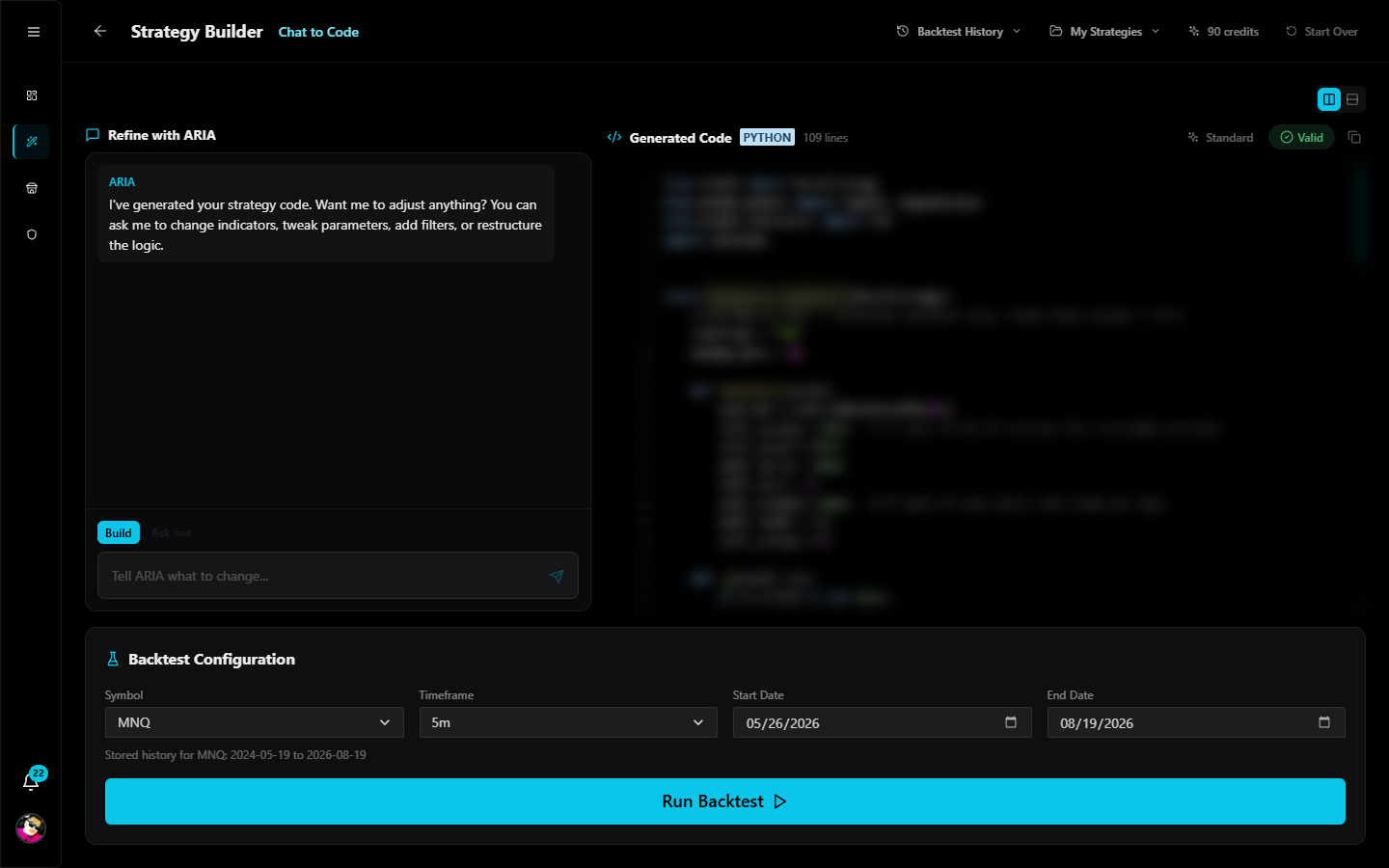
Open it from the sidebar: Strategy Builder (available on every paid plan).
How it works
Describe the idea → AI writes Python → validated in the engine's sandbox → backtest → refine → activate
- Describe — tell ARIA what you want in the chat: "Go long on a 5-minute opening-range breakout on MNQ, 20-tick stop, 40-tick target, flat by 4 PM." The more specific you are about entries, exits, and sessions, the better the first draft.
- Generate — the AI writes a complete strategy against Atomik's strategy contract: the same
BaseStrategyinterface the live engine runs. The code appears in the editor with a Valid badge once it passes validation. - Backtest — pick a symbol, timeframe, and date range, and run it against real historical futures data. You get win rate, profit factor, drawdown, equity curve, and the full trade log.
- Refine — ask for changes in the chat ("add a volume filter", "move the stop to 30 ticks") and re-test. Asking questions about your strategy is always free.
- Activate — when you're happy, activate it on an account. It runs on Atomik's engine against live market data — start on paper.
Everything you build is saved under My Strategies, and every backtest is kept in Backtest History so you can compare runs.
AI credits
AI work is billed in credits, priced by what each action actually costs:
| Action | Credits |
|---|---|
| Build a new strategy | 3 |
| Adjust an existing strategy | 1 |
| Ask a question about your strategy | 0 — always free |
| Plan | AI credits / month | Backtests / month |
|---|---|---|
| Starter | 75 | 30 |
| Pro | 300 | 200 |
| Elite | 600 | 500 |
Credits reset at the start of each billing month, with a daily ceiling so one busy day can't consume the whole month. Pro and Elite use a premium AI model for longer, more intricate strategies. Your remaining credits are always visible in the Builder's top bar.
Symbols and data
What you can backtest depends on your plan:
| Plan | Symbols | Max range per backtest |
|---|---|---|
| Starter | MNQ, MES, MGC, ES, NQ | 90 days |
| Pro | + YM, RTY, CL, GC, SI, ZB | 1 year |
| Elite | + YM, RTY, CL, GC, SI, ZB | 5 years* |
*Bounded by stored history — Atomik warehouses roughly two years of data for the major contracts. The Builder shows each symbol's exact stored range under the date pickers.
Timeframes: 1s, 1m, 2m, 3m, 5m, 10m, 15m, 30m, 1h, 2h, 4h, 1d. Backtest the same timeframe your strategy's code declares.
Write your own Python instead
The Builder is one door; your own code is another. Choose Engine Strategy in the dashboard's Create flow, or use the MCP connector to have Claude write strategies into your account. All three paths produce the same thing: a validated strategy that backtests and activates identically.
Honest expectations
The Builder makes it fast to test ideas — it does not make ideas good. Most strategy ideas fail honest backtesting; that's the point of testing before risking money. Read How Backtesting Works to understand exactly what the simulator does and doesn't model, and treat a good backtest as permission to try it on paper, not proof it will make money live.
Next steps
- How Backtesting Works — the fill model, honestly
- Paper Trading — the step between a good backtest and real money
- Trading Strategies — activation and exits
- MCP Connector — build from Claude instead of the web UI