Strategy Marketplace
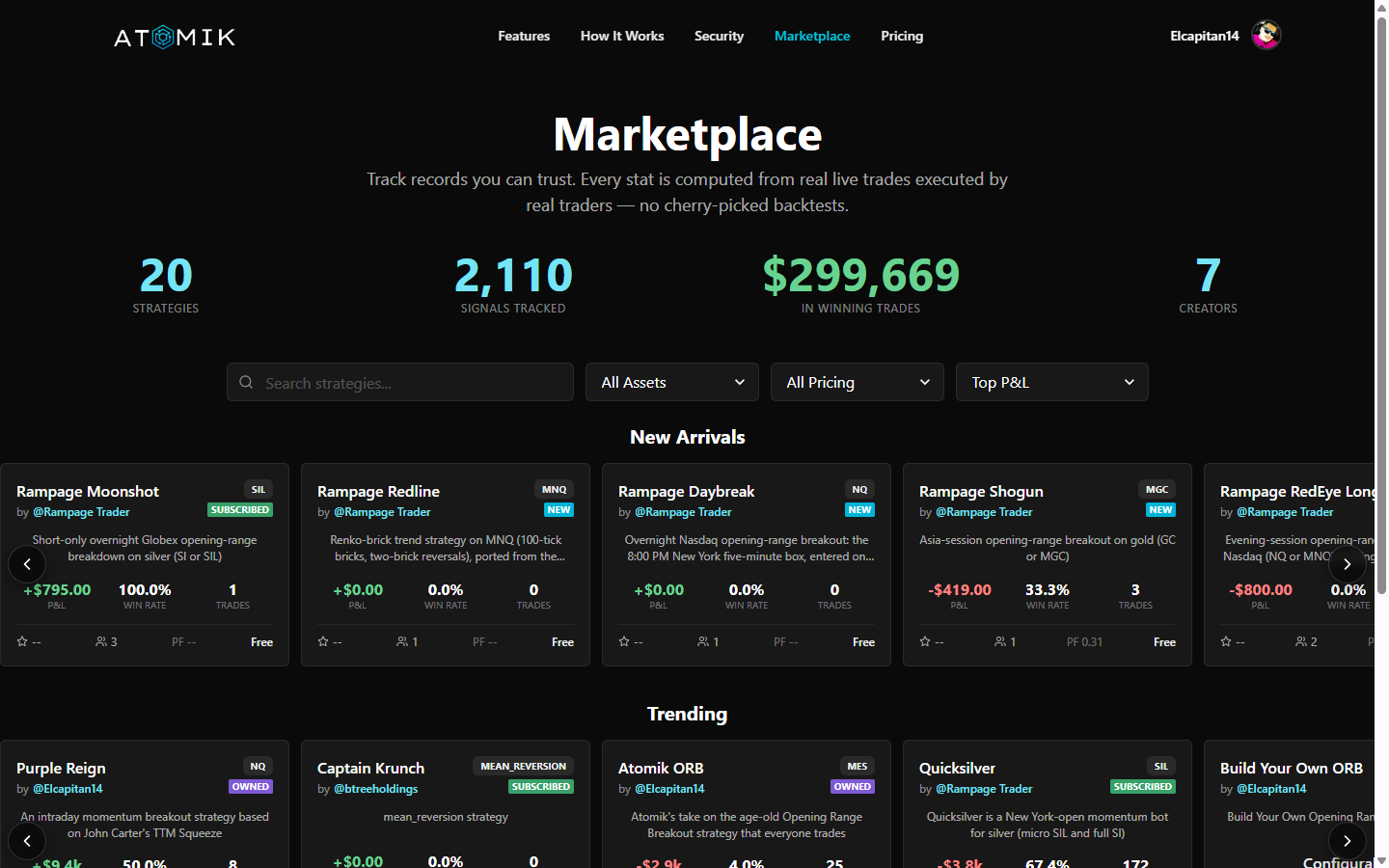
The Atomik Marketplace is where you pick a strategy to run in a futures account in your name, and where creators list strategies for others to run. Pro and Elite members switch a published strategy on in their own account; creators can charge a monthly price for theirs.
Each strategy has one record, with every trade on it. The record comes from the strategy's own live signals, not from a backtest and not from anything a creator uploads. How the record is kept explains exactly what it counts.
For Subscribers
Browsing Strategies
- Go to the Marketplace. You don't need an account to look.
- Browse the rows at the top (Steadiest right now, one row per market, Building a record), or use All strategies to filter by market, how often it trades, and price, sorted steadiest first, smallest drawdown, longest record, or newest
- Open a strategy to see its full record: weeks up, net result, worst stretch, trades, win rate, typical hold, and price
Who can run marketplace strategies
Marketplace strategies, free or paid, come with the Pro and Elite plans. Builder is for automating your own signals, so it doesn't include them. Anyone can browse the marketplace and read every record before choosing a plan.
Running a Strategy on Paper First
Every plan includes a paper account, with simulated money and real market prices. On Pro or Elite, you can link a marketplace strategy to your paper account first and watch how it trades before you point it at a live account. Paid strategies show See the record before you subscribe, so you can read every trade before you decide.
Subscribing to a Strategy
- Open the strategy's record and click Subscribe (on Pro or Elite)
- Paid strategies: complete checkout, and the strategy is added to your account. Free ones are added right away
- In the dashboard's Strategies panel, link the strategy to the account it should trade and set the quantity
Once it's linked and switched on, the strategy you chose trades that account on its own. You don't need to watch it.
Managing Subscriptions
View and manage your marketplace subscriptions in Strategies:
- Activate/Deactivate: Toggle execution on or off without unsubscribing
- Change broker account: Switch which account executes the strategy
- Unsubscribe: Stop receiving signals entirely
Tier Requirements
| Action | Required Tier |
|---|---|
| Browse marketplace | Anyone — no account needed |
| Run marketplace strategies (free or paid, paper or live) | Pro or Elite |
| Sell strategies | Pro or Elite |
For Creators
Publishing a Strategy
To sell strategies on the marketplace, you need:
- A Pro or Elite plan (Builder can't sell)
- A creator profile with payouts set up (Settings > Creator walks you through onboarding)
Publishing:
- Create your strategy in the dashboard's Strategies panel (+ Create) and choose the Monetize Strategy intent — or share it free with the Share for Free intent to build a record first
- Configure your listing:
- Name and description — what the strategy does, what it trades, and the risk profile
- Pricing — free, or a monthly subscription price you set
- Publish — your strategy appears in the marketplace, and its record builds from its live signals
Your record comes from your strategy's live signals. Each trade is recorded when the signal fires, at the signal price. You can't upload results, and losing trades stay on the record. A free strategy with a steady record is the best sales page a paid one can have. The rules are in How the record is kept.
Pricing Your Strategy
You set the price — Atomik takes a platform fee based on your creator tier:
| Creator Tier | Subscriber Range | Platform Fee | You Keep |
|---|---|---|---|
| Bronze | 0–99 subscribers | 20% | 80% |
| Silver | 100–199 subscribers | 15% | 85% |
| Gold | 200+ subscribers | 10% | 90% |
Your creator tier upgrades automatically as your subscriber count grows.
Example: If you charge $29/month and have 50 subscribers (Bronze tier):
- Gross: $1,450/month
- Platform fee (20%): $290
- Your payout: $1,160/month
Managing Your Strategies
In Settings > Creator, you can:
- View subscriber counts and earnings
- Update pricing and descriptions
- Enable/disable listings
- Track payout history
How the Record Is Kept
Every strategy on the marketplace has one record, kept the same way for all of them:
- From the strategy's own live signals. Each trade is recorded when the strategy signals, at the signal price. It is not a backtest, and it is not built from subscribers' broker fills.
- One market per strategy. The record follows one fixed market: the one the strategy has traded most. It is picked once and never switched to whichever market looks best. A creator can declare a market instead; it counts from the declaration forward, and nothing from before is added in.
- At 1 contract, before fees and slippage. Real fills can differ from the record.
- Rows that can't be real trades are left out: a row marked as a backfill, a fixed stop-loss that closed in profit, or a hold that couldn't have happened.
- Losing trades and losing weeks stay. Weeks up come first, the net result in dollars sits underneath, and the worst stretch is always shown.
- Ranking takes time. A strategy is ranked (Steadiest) only once it has 8 weeks and 20 trades on the record and is up overall. Newer strategies still show their numbers, tagged Building a record.
Past results don't guarantee future results. Any strategy can lose money, sometimes for weeks.
How It Works (Under the Hood)
When a subscriber activates a marketplace strategy:
- An activated strategy is created linking the creator's webhook to the subscriber's broker account
- When the creator's webhook fires, signals go to all subscribers who have the strategy active
- Each subscriber's trade executes independently with their own position sizing
- The creator never has access to subscriber accounts or positions
Best Practices
For Subscribers
- Read the whole record before subscribing to a paid strategy, worst stretch included
- Run it on your paper account first to see how marketplace execution works
- Start at 1 contract until you're comfortable with how the strategy you chose behaves
- Check in now and then — the dashboard shows every trade, so you can confirm it matches what you expect
For Creators
- Write clear descriptions — explain what the strategy does, what instruments it trades, and expected risk
- Price competitively — check what similar strategies charge
- Maintain your strategy — subscribers expect consistent signal quality
- Build a record first — a free listing with a few steady weeks on its record is the best marketing a paid listing can have
Next Steps
- Trading Strategies — How activated strategies work
- Copy Trading — Run one strategy across several of your accounts
- Subscription & Pricing — Tier requirements for marketplace access